It’s not enough for a website to be good: it must be good everywhere, for everyone, every time. One way that we at ITX go about ensuring all the pages we build are up to our standards is by employing visual regression testing tools.
These tools help to detect unwanted changes or defects in the layout, design, or functionality of a webpage. Normally, someone would need to manually load the page they are testing in a variety of display sizes and devices, then check to make sure none of the elements on that page are broken or unusable at certain sizes.

Visual regression testing tools automate the process of capturing and comparing screenshots of web pages or elements, as well as report any differences or anomalies.
Thanks to our industry’s rapid pace of innovation, we always need to be on the lookout for services which are leaps and bounds ahead of their competitors. After some market research, the two programs that we decided on testing were AyeSpy and BackstopJS. Both free, these open-source tools were tested on a number of different criteria:
- ease of installation and configuration
- features and functionality
- performance and reliability
- documentation and support
- ease of use
- accuracy of results
AyeSpy
AyeSpy is easy to install and requires minimal configuration. The app has a range of features, including the option to capture the entire screen or to just screenshot a specific element, with the ability to hide or remove certain elements before capturing. And, if there is a difference between devices on your webpage, you can generate an HTML report that highlights those differences.
AyeSpy is fast and reliable, as it uses Puppeteer and Chrome headless browser to capture and compare screenshots. It also allows users to adjust the concurrency, timeout, and retry settings to optimize the performance and reliability of the tests.
Its comprehensive and well-written documentation covers the installation, configuration, usage, and troubleshooting of the tool.
In our tests, we used our website as a baseline. The ITX homepage got passes on multiple different devices. However, there was one major problem: scrolling.
There doesn’t seem to be a way to capture more than just one screen of a website. Even when we had AyeSpy take screenshots in a much higher resolution, we couldn’t get it to capture our entire page. This was a showstopper for us, and while it does have an open issue on their GitHub, it will most likely remain open: in the past 5 years, no updates have been made.
Our team can’t recommend AyeSpy due to the lack of maintenance on the project and the inability to take a screenshot of a full webpage.
BackstopJS
BackstopJS is another visual regression testing tool with much of the same functionality as AyeSpy. It’s also similarly easy to download and install thanks to its own easy-to-digest documentation. BackstopJS is also fast and reliable as it uses Puppeteer, Chrome headless browser, and Resemble.js to capture and compare screenshots.
This is the original reference image captured:

This is the image where BackstopJS highlighted the difference between the the original image and the new one:

This is the result we got from the test, where the cookies were already accepted and the message was no longer there:

This represents the scrubber feature. The red line can be moved to the left or right. Reference is on the left, test result on the right:
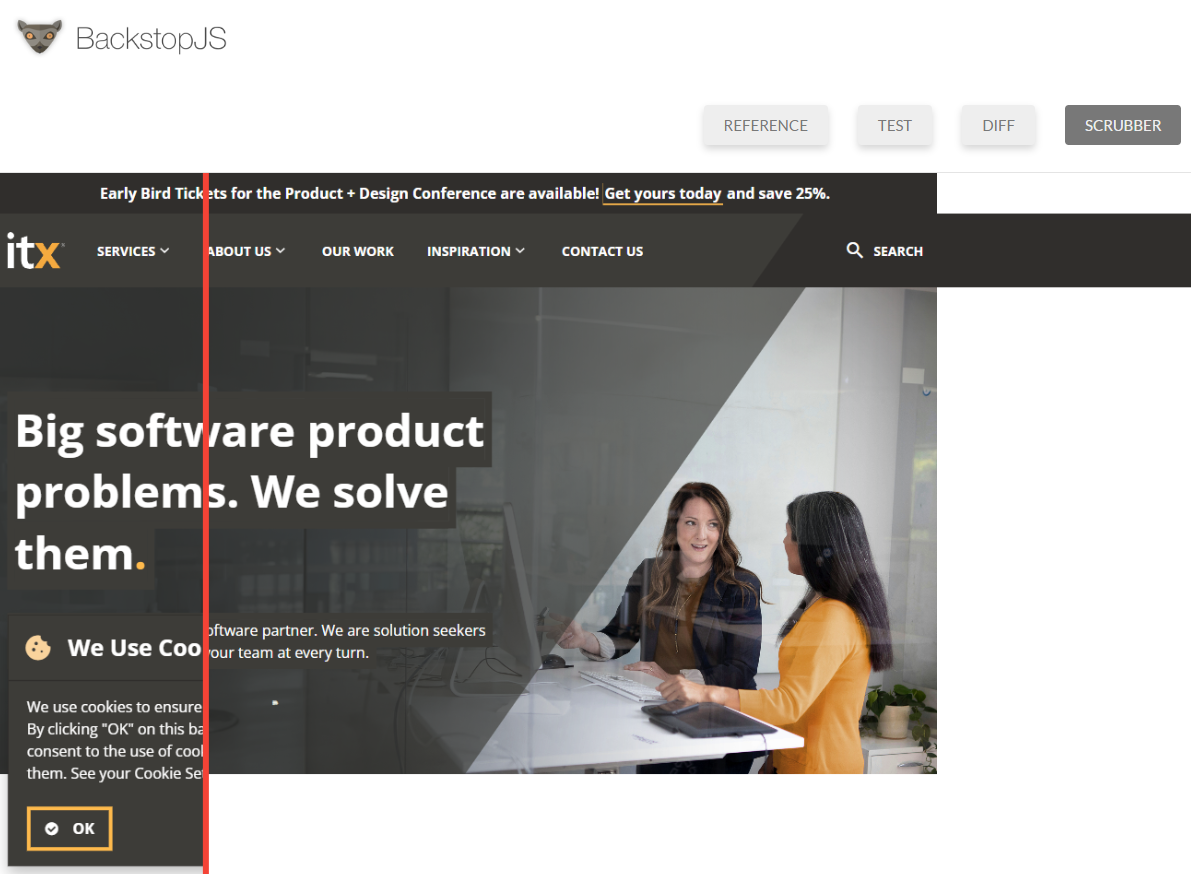
In our testing, its performance measured up against AyeSpy as well. The tool creates an HTML report with screenshots from references and tests. When a page fails, it creates a comparison image with the differences highlighted. You can also choose to visualize the differences with a before-and-after image slider; just move the line back and forth to see exactly how the image is different on another platform.
Unlike AyeSpy, BackstopJS has recent activity on its GitHub page, which means it’s being actively maintained.
Most importantly, it had scrolling. Its ability to capture and compare screenshots of full webpages, no matter how long, really put it over the top for us. BackstopJS could fully support our visual regression testing needs without any licensing costs.
Next Steps
But, there’s still more to do. We are currently testing how BackstopJS can work in our production pipeline. So far, we are seeing great results from automating visual testing regression testing, and adding BackstopJS to our deployment was simple.
While BackstopJS seems great, we’ll keep an eye out for other visual regression testing tools like Jest and Galen that could make ITX even more efficient.


